
cm/360 Calculator: A Physical Turn Guide
A cm/360 calculator expresses a mouse setting as physical travel for one complete horizontal rotation. That measurement is easier to compare across differently scaled sensitivity menus than the raw numbers alone. It still depends on the input assumptions: DPI, angular coefficient, linear response and the chosen aiming state. This guide derives the relationship, explains how to enter a chosen physical distance and shows how a careful measurement can help identify a mismatch without pretending that a converter has measured your device.
Define exactly what a full-turn distance means
A full turn is 360 degrees of horizontal rotation. Centimetres per 360 tells you how far the mouse must travel physically to produce that rotation under the modeled setup. A larger distance means more travel for the same rotation; a smaller distance means less. This is a distance description rather than a score of accuracy, comfort or suitability.
The horizontal definition matters because a game can treat vertical movement differently. The calculator does not average horizontal and vertical response or promise a match for both axes. It also does not automatically include aiming-down-sights or scoped multipliers. Write the aiming state and axis in the note so a later measurement does not compare different responses under the same label.
Linear response is another explicit condition. It means a given number of mouse counts creates the same rotation regardless of movement speed or prior movement. Acceleration or other nonlinear processing can break that relationship. A single coefficient cannot describe a speed-dependent response across every movement, so the tool should be treated as a linear worksheet rather than a correction system for an unknown input pipeline.
Derive the formula from counts and degrees
Let DPI represent counts per inch, S the entered sensitivity and Y the angular coefficient in degrees per count per sensitivity unit. The rotation produced by one inch is DPI times S times Y degrees. A full turn therefore requires 360 divided by that product inches. Multiplying by 2.54 converts inches to centimetres, giving cm/360 = 914.4 divided by DPI times S times Y.
For a fictional numeric setup with DPI 800, sensitivity one and coefficient 0.022, the product is 17.6 degrees per inch. The full-turn distance is 360 divided by 17.6 inches, or approximately 20.4545 inches. In centimetres that is approximately 51.9545. Keeping the units at every step makes the formula easier to check than memorizing an unexplained conversion constant.
Half a rotation uses half the distance in this linear model. The example gives approximately 25.9773 centimetres for 180 degrees and 12.9886 for 90 degrees. Those smaller checkpoints can be convenient when inspecting the arithmetic, but a practical measurement still needs clear start and end directions. The calculator has no sensor connection and cannot tell whether your physical test covered precisely those angles.
Work backward from a chosen physical distance
Choose the physical cm/360 mode in AimSensKit when the starting point is a distance rather than an existing sensitivity. Enter a fictional 40-centimetre full turn, source and target DPI values and the coefficients you intend to use. The tool derives implied settings from that distance. It does not recommend forty centimetres or evaluate whether it suits your desk, device or play style.
For target DPI 800 and coefficient 0.022, sensitivity is 914.4 divided by 800 times 40 times 0.022, approximately 1.298864. For a reference coefficient of 0.07 at the same DPI and distance, the implied setting is approximately 0.408214. The different settings describe the same modeled physical travel because their coefficients differ.
The source setting becomes a derived value
In physical mode, the source sensitivity field is hidden and excluded. The source game and coefficient still define the implied source setting shown in the result. This distinction prevents an old sensitivity entry from competing with the newly entered distance. Switch back to conversion mode when you want an existing source sensitivity to determine the physical result instead.
Keep device configuration with the measurement
A note stating forty centimetres without DPI and game context leaves important questions unanswered. Record the configured DPI, sensitivity, coefficient assumption, horizontal axis, aiming state and any relevant input processing. If you change one of those later, the old physical note may no longer describe the current response. Keep separate profiles labeled rather than relying on a remembered number.
Configured DPI is not a physical measurement performed by this website. A sensor’s response, a software profile or an operating-system path may differ from the count density you assumed. The calculator does not inspect drivers, game configuration files or device memory. If an actual turn differs, review the complete environment and the quality of the physical measurement before changing several settings at once.
Historical Riot patch notes describe VALORANT’s raw-input handling. That is useful background for understanding that input processing has its own implementation. It does not supply the numerical coefficient used by our reference preset, and it should not be read as a current instruction to find a particular toggle. Our coefficient remains an explicit assumption to verify.
Measure cautiously and repeat the same conditions
For a physical comparison, start from a recognizable horizontal direction in a suitable test area. Move the mouse through the intended rotation while keeping the aiming state consistent. Mark or measure the travel using a method that avoids mixing a lifted mouse repositioning with active motion. The purpose is to inspect a relationship, not to turn a rough hand movement into a falsely precise measurement.
Repeat the check rather than relying on one attempt. If your measurements vary substantially, document that spread instead of immediately changing the coefficient to fit a single result. Physical measuring error, inconsistent endpoint choice and input behavior can all affect the observation. A calculator with many decimal places does not eliminate uncertainty in the measured distance.
If you have a dependable observed cm/360 and know the actual sensitivity and assumed DPI, you can derive an implied coefficient using Y = 914.4 divided by DPI times S times cm. Treat that as a calibration for the tested configuration. It is not a universal default for every player, device, axis or aiming state, and it should carry the measurement conditions with it.
Use physical travel as a comparison, not an identity claim
Two games can match full-turn distance while appearing different on screen. Field of view, camera presentation, animations and game context affect the visual experience without changing the distance required for a full horizontal rotation. The guide to eDPI and cm/360 distinguishes the measurements and explains why equal numbers do not establish equal visual feel.
Use the cm/360 and sensitivity calculator to create a reproducible worksheet. Read the source and target settings together, preserve coefficient units and verify the number accepted by the game. The useful outcome is a clear comparison you can test, not a claim that one physical distance automatically makes every environment behave identically.
Frequently asked questions
How is cm/360 calculated?
914.4 divided by DPI times sensitivity times the angular coefficient, with coefficient units matching the entered sensitivity scale.
Does the tool measure my mouse?
No. It calculates from entered values. Physical measurement and configuration verification remain separate.
Keep the assumptions with the setting
Use the sensitivity converter with your own DPI, sensitivity and verified coefficients. Copy the conversion note, check the target notation and confirm a physical horizontal turn before treating the new setting as a match.
More notes from the setup desk
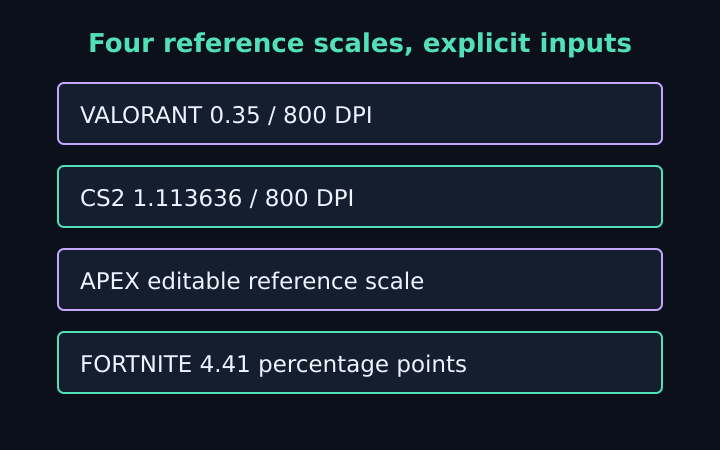
VALORANT to CS2 Sensitivity: Worked Examples
Follow five explicit mouse-setting examples for CS2, VALORANT, Apex and Fortnite, with DPI changes, percentage units and physical-turn checks.
Read the note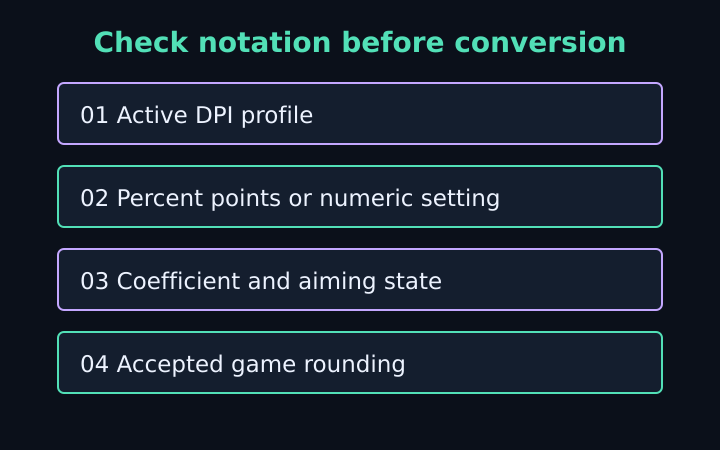
Sensitivity Conversion Mistakes to Catch
Check DPI profiles, percentage notation, coefficients, aiming states and game rounding before trusting a mouse-sensitivity match.
Read the note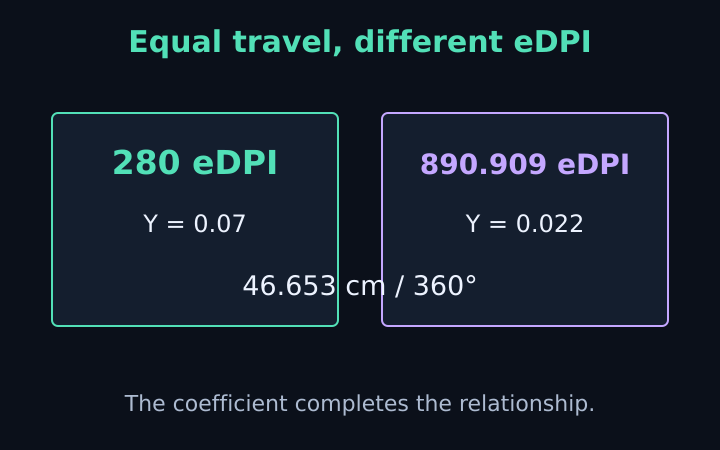
eDPI vs cm/360: What the Numbers Mean
Compare eDPI, raw sensitivity and physical turn distance. Learn why equal eDPI across games does not guarantee a matched mouse response.
Read the note