
eDPI vs cm/360: What the Numbers Mean
An eDPI calculator multiplies a configured mouse DPI by an in-game sensitivity under a stated sensitivity convention. The result can summarize settings within that convention, but it is not a universal cross-game speed scale. A sensitivity converter needs the game’s angular coefficient as well when matching physical turn distance. This comparison explains eDPI, cm/360 and raw sensitivity with fictional examples so each number is used for a question it can actually answer.
Begin with the simple eDPI relationship
For an ordinary numeric sensitivity, eDPI equals DPI times sensitivity. At DPI 800 and sensitivity 0.35, the product is 280. At DPI 1,600 and sensitivity 0.175, the product is also 280. Within an unchanged linear game coefficient and sensitivity convention, those products imply the same angular response per physical inch in the model.
The product does not measure sensor quality, input latency or personal performance. It also does not preserve all aspects of a device or operating-system setup. Two profiles with the same product can differ in other properties not represented by the formula. Treat eDPI as a concise arithmetic summary of the two stated inputs rather than a complete description of the input pipeline.
Keep both original values with the product. An unlabeled 280 does not tell another reader whether it came from 800 times 0.35, 400 times 0.7 or a different convention. Preserving the source values lets someone reproduce the calculation and identify a changed DPI profile. The product is convenient, but it should not erase the configuration it summarizes.
Add the angular coefficient for a physical comparison
The model’s degrees turned per inch equals DPI times sensitivity times the angular coefficient. In other words, ordinary numeric eDPI times that coefficient gives angular response per physical inch. If two games use different coefficients, equal eDPI values lead to different turn distances. That missing coefficient is why eDPI alone cannot serve as a universal converter.
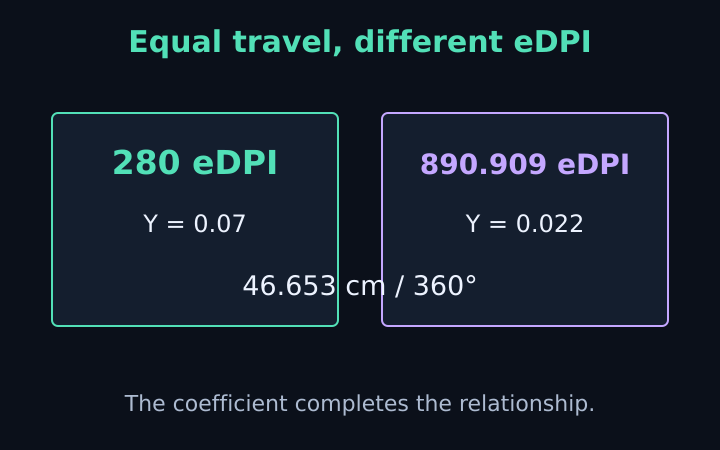
Take a fictional eDPI of 280. With coefficient 0.07, the product is 19.6 degrees per inch, corresponding to approximately 46.653 centimetres per full turn. With coefficient 0.022, the product is 6.16 degrees per inch, corresponding to approximately 148.442 centimetres per full turn. The eDPI is identical, while the modeled physical travel differs substantially.
Conversely, matching the first physical response under coefficient 0.022 requires eDPI of approximately 890.909. That number times 0.022 returns 19.6 degrees per inch. The larger eDPI is not a contradiction or a recommendation; it compensates for the different angular scale. State the coefficient and game context when explaining why the two values differ.
Understand the percentage-point convention
Fortnite’s reference preset expects sensitivity entered as percentage points: five means five percent. For its displayed eDPI convention, the tool divides that number by one hundred before multiplying by DPI. A fictional five-percent setting at DPI 800 therefore gives eDPI forty, rather than four thousand. The convention must be visible whenever this result is compared with another note.
The physical conversion uses an angular coefficient defined per entered percentage point. It therefore uses five directly with that coefficient. Dividing five by one hundred again inside that same physical formula would apply the notation correction twice and create an incorrect result. An apparently simple multiplication needs consistent units just as much as a more complicated equation does.
Custom numeric settings need their own explanation
The Custom preset treats sensitivity as an ordinary numeric value for eDPI and lets you provide an angular coefficient per entered unit. If your custom source uses another scale, document that scale and interpret the eDPI output accordingly. The tool cannot infer notation from a game name typed elsewhere or an unlabeled screenshot. A custom coefficient defines angular conversion, not every naming convention an external service may use.
Compare cm/360 with eDPI as complementary notes
Centimetres per full turn describes physical travel. Within the model, cm/360 equals 914.4 divided by DPI times sensitivity times the angular coefficient. A smaller cm/360 means less travel for a full rotation. Ordinary numeric eDPI moves in the opposite numerical direction when the coefficient stays fixed: a larger product gives a shorter physical distance.
For the reference numeric coefficient 0.022, eDPI 800 gives approximately 51.955 cm/360, while eDPI 1,600 gives approximately 25.977 cm/360. Doubling the product halves the physical distance in this linear relationship. That conclusion holds because the coefficient and interpretation remain unchanged. It should not be carried into a cross-game comparison that silently changes the coefficient.
The cm/360 guide derives the physical formula and explains how to work backward from a stated travel distance. Use that relationship when your question is about mouse travel. Use eDPI when your question is about a DPI-sensitivity product within the same defined scale. These are related measurements with different explanatory roles.
Do not turn matching numbers into matching visual feel
A full horizontal turn is an angular event. A movement across a fraction of the visible screen is a visual event. Field of view can change how much rotation corresponds to a visible displacement, so matching cm/360 does not automatically match a monitor-distance or screen-pixel relationship. The calculator deliberately does not implement those additional matching methods.
Similarly, scoped or aiming-down-sights response may apply further settings. A hip-fire eDPI product does not automatically describe those states. If another converter reports a match for a scope or an on-screen movement, compare its definition before expecting the same output here. Different methods can be internally correct while answering different questions.
Personal comfort and performance introduce further context beyond the arithmetic. Neither eDPI nor cm/360 determines an ideal choice for everyone. Avoid presenting a professional player’s number or a fictional calculator example as a universal target. The site helps document and compare settings; it does not rank configurations by accuracy or evaluate a player’s needs.
Make a comparison another reader can reproduce
A useful note includes game or custom scale, sensitivity, DPI, angular coefficient, aiming state and the chosen comparison method. Then list eDPI and physical travel with their labels. For a percentage preset, explicitly state that the eDPI calculation normalizes percentage points to a fraction. This is enough information to explain the product without inventing a cross-game equivalence.
Use the sensitivity converter and eDPI calculator to keep those quantities together. Check the target setting accepted by the actual game, and retain any rounding or coefficient changes in the final note. A clear configuration record is more useful than choosing whichever isolated number happens to resemble a setting from another environment.
Frequently asked questions
Can eDPI be compared directly across games?
Only when the angular scale and sensitivity convention are consistent. Different coefficients can give different physical travel at equal eDPI.
How is Fortnite eDPI displayed here?
DPI multiplied by entered percentage points divided by 100. Physical conversion uses a coefficient per percentage point, so that correction is not repeated there.
Keep the assumptions with the setting
Use the sensitivity converter with your own DPI, sensitivity and verified coefficients. Copy the conversion note, check the target notation and confirm a physical horizontal turn before treating the new setting as a match.
More notes from the setup desk
VALORANT to CS2 Sensitivity: Worked Examples
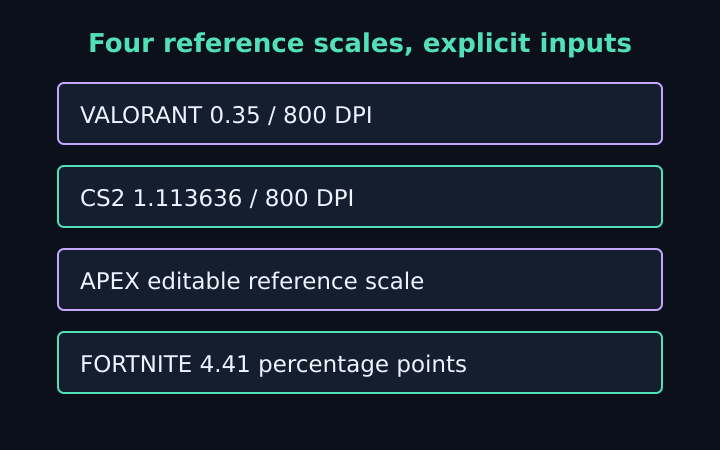
Follow five explicit mouse-setting examples for CS2, VALORANT, Apex and Fortnite, with DPI changes, percentage units and physical-turn checks.
Read the note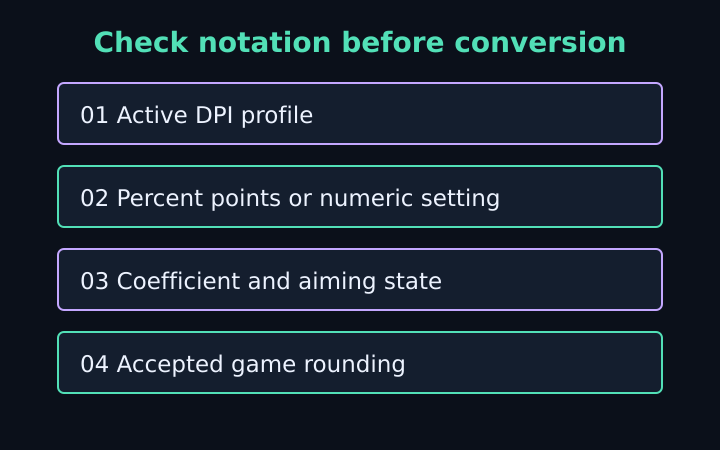
Sensitivity Conversion Mistakes to Catch
Check DPI profiles, percentage notation, coefficients, aiming states and game rounding before trusting a mouse-sensitivity match.
Read the note
cm/360 Calculator: A Physical Turn Guide
Understand physical mouse travel, derive cm/360 from DPI and sensitivity, and work backward from a chosen distance with clear assumptions.
Read the note