
Sensitivity Conversion Mistakes to Catch
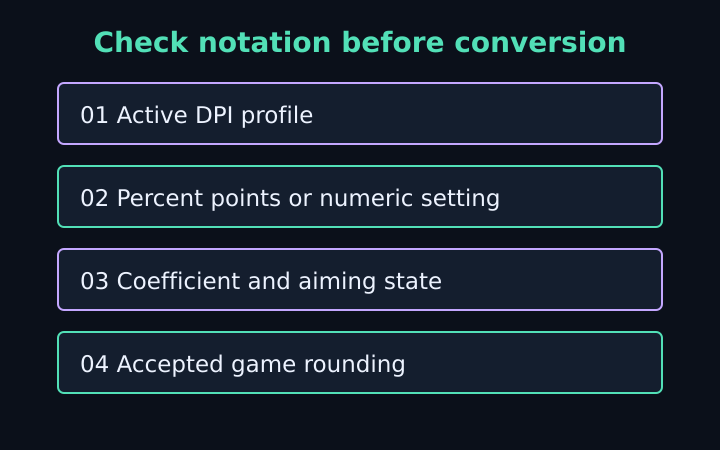
A mouse sensitivity converter can produce a correct equation result from a setup that does not describe the intended game response. The common problems are missing DPI changes, percentage notation, altered coefficients and comparisons between different aiming states. This checklist focuses on mistakes that can be identified in the input note or verification method. It does not recommend a preferred sensitivity or claim that a mathematical match will improve aiming performance.
Check the source and target DPI independently
A shortcut ratio between game coefficients assumes the source and target DPI values are the same. If one profile uses 800 DPI and the other uses 1,600, the target sensitivity must account for that difference. Omitting it can make the target angular response twice the intended rate even when the coefficient ratio itself is correct. Enter both densities rather than relying on a remembered conversion factor.
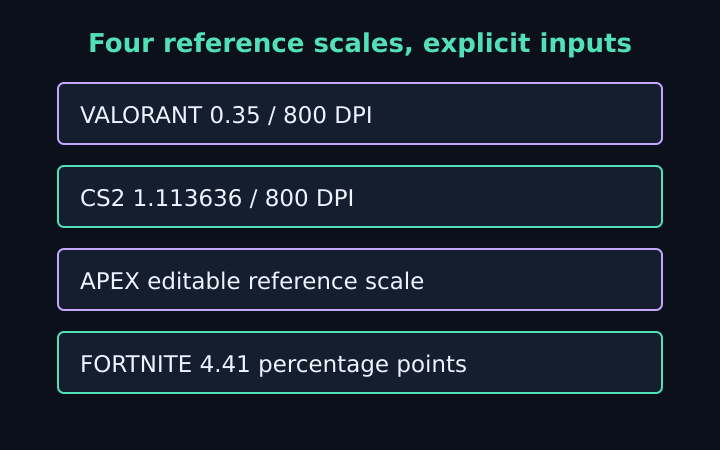
For a fictional source sensitivity 0.35, coefficient 0.07 and DPI 800, a target coefficient 0.022 at DPI 800 gives approximately 1.113636. At target DPI 1,600 it gives approximately 0.556818. The target product changes to preserve the physical relationship. Neither value is a universal VALORANT-to-CS2 setting because both depend on the source setup and coefficient assumptions.
Check whether device software changes profiles automatically when an application starts. The calculator cannot inspect those profiles or confirm the active DPI. A written number from a previous session may be accurate for that session and wrong for the current one. Keep the source of the DPI value in your configuration note when automated switching is part of your environment.
Distinguish percentage points from fractions
In the Fortnite preset, five means five percent. The angular coefficient is defined per entered percentage point, so the physical formula uses five with that coefficient. Entering 0.05 while intending five percent describes a value one hundred times smaller under that preset. The result may look like a legitimate long turn distance, but it is answering a different input.
The eDPI display separately normalizes percentage points by dividing by one hundred. Do not carry that correction back into the physical formula a second time. The calculation’s unit definition determines which number belongs with the coefficient. This is a notation issue rather than a special advantage or disadvantage of one game’s sensitivity menu.
Read the label after changing presets
Selecting a different source preset changes the reference coefficient and notation label; it does not reinterpret a leftover sensitivity number automatically. Re-enter or review the sensitivity associated with the selected source. A number such as 0.35 can be valid in software while representing a very different setting under another scale. A valid field is not proof that the scenario is the one you meant to enter.
Treat reference coefficients as assumptions to inspect
AimSensKit displays editable reference coefficients for its named presets. They are not certified current defaults published by each game developer. A coefficient defines degrees per mouse count per entered sensitivity unit in the linear model. If your configuration changes that relationship, the reference value may not represent your actual response.
A simple physical-turn check can reveal a mismatch, but it does not immediately identify its cause. Configured DPI, measurement error, input processing, coefficient assumptions and accepted game rounding can all contribute. Review one factor at a time. Changing the coefficient to fit a single uncertain measurement can conceal the original issue rather than create a dependable calibration.
Historical engine source and developer documentation can explain how an angular factor enters an input calculation, but a historical implementation does not establish every current game’s behavior. Preserve the distinction between a formula, an example coefficient and a measured configuration. This lets another reader understand what was verified and what remains an assumption.
Keep hip-fire, ADS and scope states separate
The tool matches horizontal hip-fire turn distance under linear input. Aiming down sights or using a scope may involve additional multipliers and a different visible field of view. Comparing a scoped target test with a hip-fire source note changes the relationship. Do not assume that the main sensitivity alone describes all aiming states.
If a game provides separate axis settings, use the horizontal response for the horizontal conversion. The calculator does not derive vertical settings or promise identical movement on both axes. A test that alternates between horizontal and vertical movement can make an otherwise consistent input relationship appear inconsistent. Define the axis before measuring or sharing a result.
Field of view and screen presentation also affect apparent movement. Matching the physical distance for 360 degrees does not guarantee matching a particular screen fraction. A converter using monitor-distance matching may legitimately produce another setting. Compare the methods rather than treating any disagreement between websites as proof that one formula is defective.
Avoid claiming precision the game did not retain
The main target display shows up to six decimal places, while the copy note preserves more calculation precision. The actual game may accept fewer digits or use a slider with discrete increments. Record the value the game retained after applying and reopening its settings. A finely printed calculator number is not evidence that the same number was stored.
For a target around 1.113636, entering 1.11 changes the modeled turn distance slightly. That may be acceptable for a particular user’s purpose, but it is no longer an exact arithmetic match. Describe the accepted setting and rounding rather than claiming perfect equality. The eDPI and physical-travel comparison explains why original values should stay beside rounded summaries.
Do not average sensitivity numbers from different scales to create a supposedly balanced setting. The numbers have different angular meanings unless their coefficients and notation are accounted for. An arithmetic average of unlabeled settings does not establish an average physical response. Begin with a defined source setup or physical distance instead of combining unrelated values.
Verify a result without losing its context
Use a suitable test environment and consistent start direction when checking a horizontal turn. Separate active mouse movement from repositioning, and keep the aiming state unchanged. Repeat the measurement if practical. Document uncertainty instead of adjusting several controls until one attempt happens to resemble the expected distance.
The mouse sensitivity converter hides previous results when an active input becomes invalid and disables copying until corrected. Reset restores the fictional example, which must be replaced before using the result for your own setup. Copy the assumptions as well as the target sensitivity; that note is the evidence needed to reconstruct the calculation.
A useful final review asks what each input means: source and target DPI, sensitivity notation, coefficient units, aiming state and matching method. Those definitions matter more than an impressive number of decimal places. Once they are clear, you can judge whether a disagreement is an entry error, a different conversion method or a behavior that the linear model does not describe.
Frequently asked questions
Why can a correct conversion feel different?
The method matches horizontal full-turn travel. It does not match every field of view, visual movement, scope state or nonlinear input response.
Does switching a source preset convert the old input?
No. It loads a reference coefficient and notation label. Review or re-enter the source sensitivity for the chosen preset.
Keep the assumptions with the setting
Use the sensitivity converter with your own DPI, sensitivity and verified coefficients. Copy the conversion note, check the target notation and confirm a physical horizontal turn before treating the new setting as a match.
More notes from the setup desk
VALORANT to CS2 Sensitivity: Worked Examples
Follow five explicit mouse-setting examples for CS2, VALORANT, Apex and Fortnite, with DPI changes, percentage units and physical-turn checks.
Read the note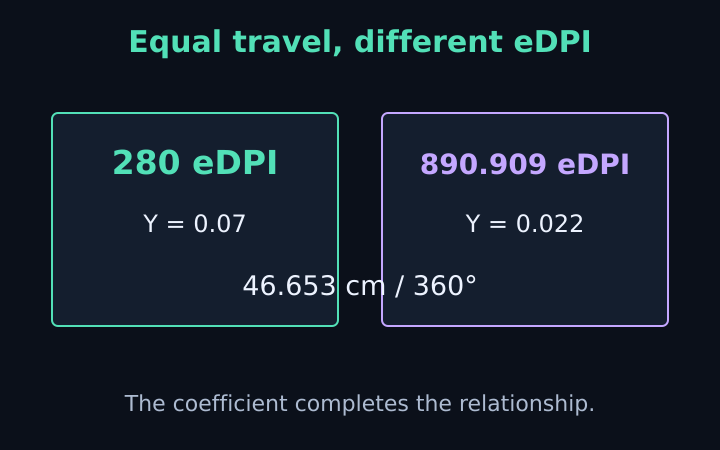
eDPI vs cm/360: What the Numbers Mean
Compare eDPI, raw sensitivity and physical turn distance. Learn why equal eDPI across games does not guarantee a matched mouse response.
Read the note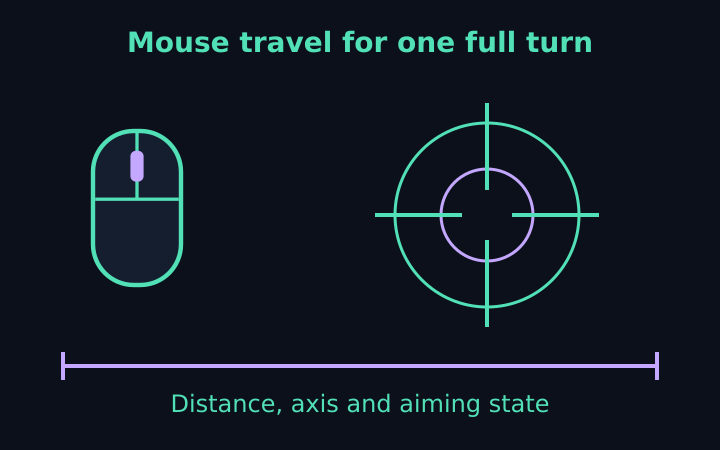
cm/360 Calculator: A Physical Turn Guide
Understand physical mouse travel, derive cm/360 from DPI and sensitivity, and work backward from a chosen distance with clear assumptions.
Read the note