
VALORANT to CS2 Sensitivity: Worked Examples
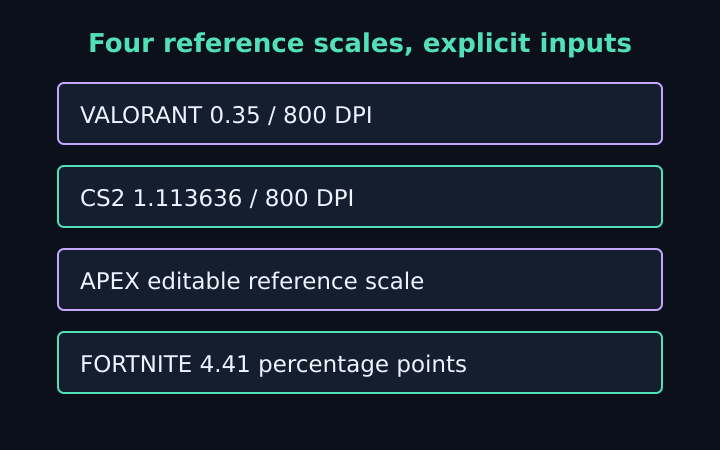
A VALORANT to CS2 sensitivity converter is easier to understand when the source setup, target DPI and angular assumptions are written beside the result. This collection follows five fictional conversions, including an Apex sensitivity converter example and a Fortnite sensitivity converter example. The purpose is to verify arithmetic and notation, not to prescribe settings or claim identical visual feel between games. AimSensKit is independent and is not affiliated with Riot Games, Valve, EA, Respawn or Epic Games.
Example one: VALORANT to CS2 at the same DPI
Use source sensitivity 0.35, source DPI 800 and reference angular coefficient 0.07. Set target DPI 800 and target reference coefficient 0.022. The target sensitivity is source DPI times source sensitivity times source coefficient, divided by target DPI times target coefficient. With equal DPI values, this simplifies to 0.35 times 0.07 divided by 0.022.
The answer is approximately 1.113636. Source angular response is 0.0245 degrees per mouse count; at 800 DPI it becomes 19.6 degrees per inch. The target sensitivity multiplied by 0.022 gives the same angular response per count at that same DPI. Full-turn travel is approximately 46.653 centimetres. The equality is a property of the stated linear model.
Source eDPI is 280 and target eDPI is approximately 890.909. They differ because the coefficients differ. Do not change the target number merely to force the eDPI products to look equal. Equal eDPI across these reference scales would answer a different question and would not preserve the modeled full-turn travel.
Example two: change only target DPI
Keep the first example’s source unchanged but set target DPI to 1,600. The matching target sensitivity becomes approximately 0.556818. It is half the previous target sensitivity because the target count density doubled. Multiplying the new sensitivity by the new DPI and target coefficient still gives 19.6 degrees per inch.
The target eDPI remains approximately 890.909 within its numeric convention. Full-turn travel also remains approximately 46.653 centimetres. This example separates a DPI change from a physical-turn change: reducing sensitivity compensates for the higher count density. It does not establish an equivalent input latency or claim that the two device configurations are otherwise identical.
When using a game’s actual settings, verify which DPI profile is active and what sensitivity precision is retained. The calculation assumes the stated values rather than reading device memory or game configuration. If the target accepts only a rounded value, keep that value in the final note and recognize that the physical equality becomes approximate.
Example three: CS2 to an Apex reference setup
Use a fictional CS2 source sensitivity 1.5 at DPI 800 with coefficient 0.022. Choose the Apex Legends reference coefficient 0.022 and target DPI 1,600. Equal angular coefficients leave only the DPI ratio, so the target sensitivity is 0.75. Both numeric eDPI products equal 1,200 under these assumptions.
Full-turn travel is 914.4 divided by 800 times 1.5 times 0.022, approximately 34.636 centimetres. The target calculation gives the same distance because 1,600 times 0.75 equals 800 times 1.5. This equality does not certify the current behavior of either named game; the coefficients are editable references that must be checked against the actual configuration.
Do not extend a hip-fire result to a scope automatically
The example concerns horizontal hip-fire response. A separate aiming multiplier or scope setting needs its own definition and is outside this tool. Keep that scope boundary visible when copying the note. A test performed in a different aiming state cannot verify the exact relationship used by the example, even if the displayed sensitivity numbers match.
Example four: a Fortnite percentage-point result
Return to the fictional VALORANT source of 0.35 at DPI 800 and coefficient 0.07. Choose Fortnite with target DPI 800 and reference coefficient 1/180, or approximately 0.005555556 degrees per count per percentage point. The resulting target sensitivity is 4.41 percentage points, meaning 4.41 percent in the preset’s notation.
Use 4.41 in this preset, not 0.0441. The source’s degrees-per-inch product is 19.6, and 800 times 4.41 times 1/180 also gives 19.6. For the eDPI display only, sensitivity is normalized as 4.41 divided by one hundred, giving target eDPI 35.28. That product is not directly comparable with the source game’s eDPI 280.
Epic’s official control-settings guidance explains how to reach the relevant input settings. It does not publish the numerical angular coefficient used by this example. Treat the coefficient as a visible reference assumption and verify the accepted horizontal setting and physical response rather than attributing the example constant to that support page.
Example five: choose a physical full-turn distance
Switch to physical cm/360 mode and enter a fictional forty-centimetre full turn. With target DPI 800 and coefficient 0.022, the implied sensitivity is approximately 1.298864. With target DPI 800 and coefficient 0.07, it is approximately 0.408214. With the Fortnite percentage-point coefficient at DPI 800, it is 5.1435 percent.
The calculation uses sensitivity equals 914.4 divided by DPI times physical centimetres times coefficient. This mode starts from a chosen distance rather than asserting that a previous sensitivity has been measured. Forty centimetres is an illustrative input, not a recommended target. The tool has no information about personal comfort, desk constraints or aiming performance.
A half turn at that distance requires twenty centimetres, and a quarter turn requires ten under the linear model. These arithmetic checkpoints can make a copied note easier to interpret. They do not measure a real rotation, correct endpoint uncertainty or account for a different aiming state. Verification still belongs in the environment where the setting will be used.
Compare examples one variable at a time
Changing target DPI while holding source and target coefficients fixed isolates the density effect. Changing only target coefficient isolates the angular-scale effect. Changing several fields simultaneously may be a useful final scenario, but it is harder to explain why the output moved. Keep earlier values if you want a clear comparison rather than only the latest target number.
The physical-turn guide explains how to preserve measurement context. Use the sensitivity converter to reproduce these examples, then replace the fictional source with your own complete setup. Confirm coefficient units, target notation and the value stored by the actual game before calling the result a match.
A transparent conversion note is the useful outcome: source inputs, matching definition, target calculation and verification conditions. Keeping those pieces together allows you to explain a changed setting, inspect a rounding difference or revisit an assumption after an update. The examples support that workflow without promising a universal sensitivity or a performance improvement.
Frequently asked questions
What is 0.35 VALORANT to CS2 at equal DPI here?
About 1.113636 using source coefficient 0.07 and target 0.022. These are reference assumptions; verify the current setup.
What does a Fortnite output of 4.41 mean?
4.41 percentage points, or 4.41%, using the preset coefficient per percentage point. Do not enter 0.0441 under that notation.
Keep the assumptions with the setting
Use the sensitivity converter with your own DPI, sensitivity and verified coefficients. Copy the conversion note, check the target notation and confirm a physical horizontal turn before treating the new setting as a match.
More notes from the setup desk
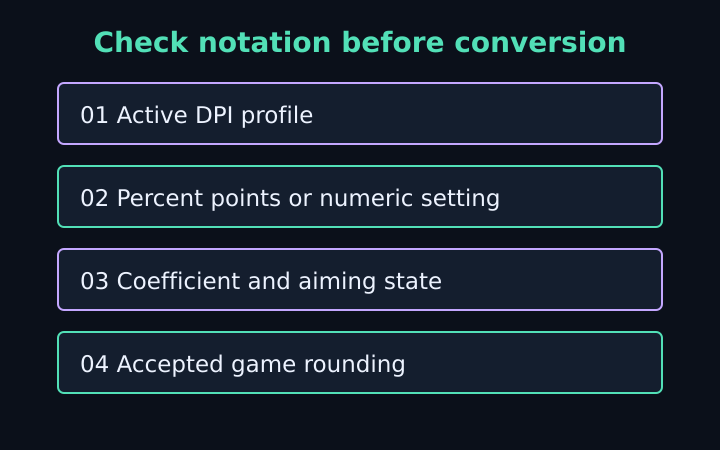
Sensitivity Conversion Mistakes to Catch
Check DPI profiles, percentage notation, coefficients, aiming states and game rounding before trusting a mouse-sensitivity match.
Read the note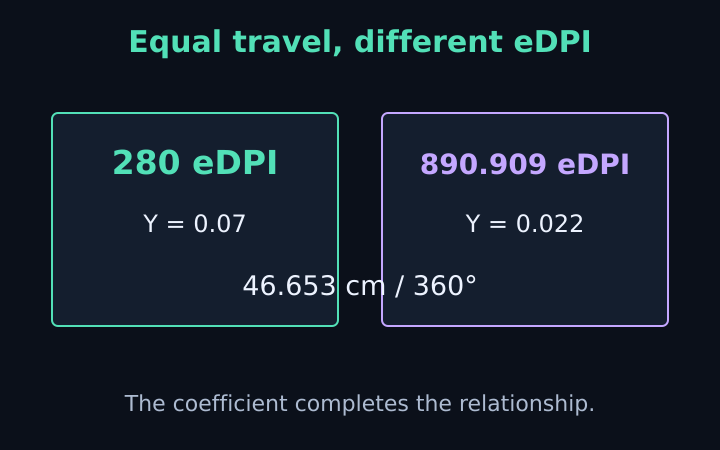
eDPI vs cm/360: What the Numbers Mean
Compare eDPI, raw sensitivity and physical turn distance. Learn why equal eDPI across games does not guarantee a matched mouse response.
Read the note
cm/360 Calculator: A Physical Turn Guide
Understand physical mouse travel, derive cm/360 from DPI and sensitivity, and work backward from a chosen distance with clear assumptions.
Read the note